Six skill areas
Bring Grammar, Vocabulary, Reading, Listening, Writing and Speaking into your exam plan.
AI English exam generator for teachers
Plan English exams for your ESL or EFL classes, draft questions and listening content with AI, and review every section before exporting editable Word files.
Request pilot access or a product demo. Access is reviewed separately.
From first plan to final files
Set the scope of your English exam, create AI drafts and check each section before approving the final files.
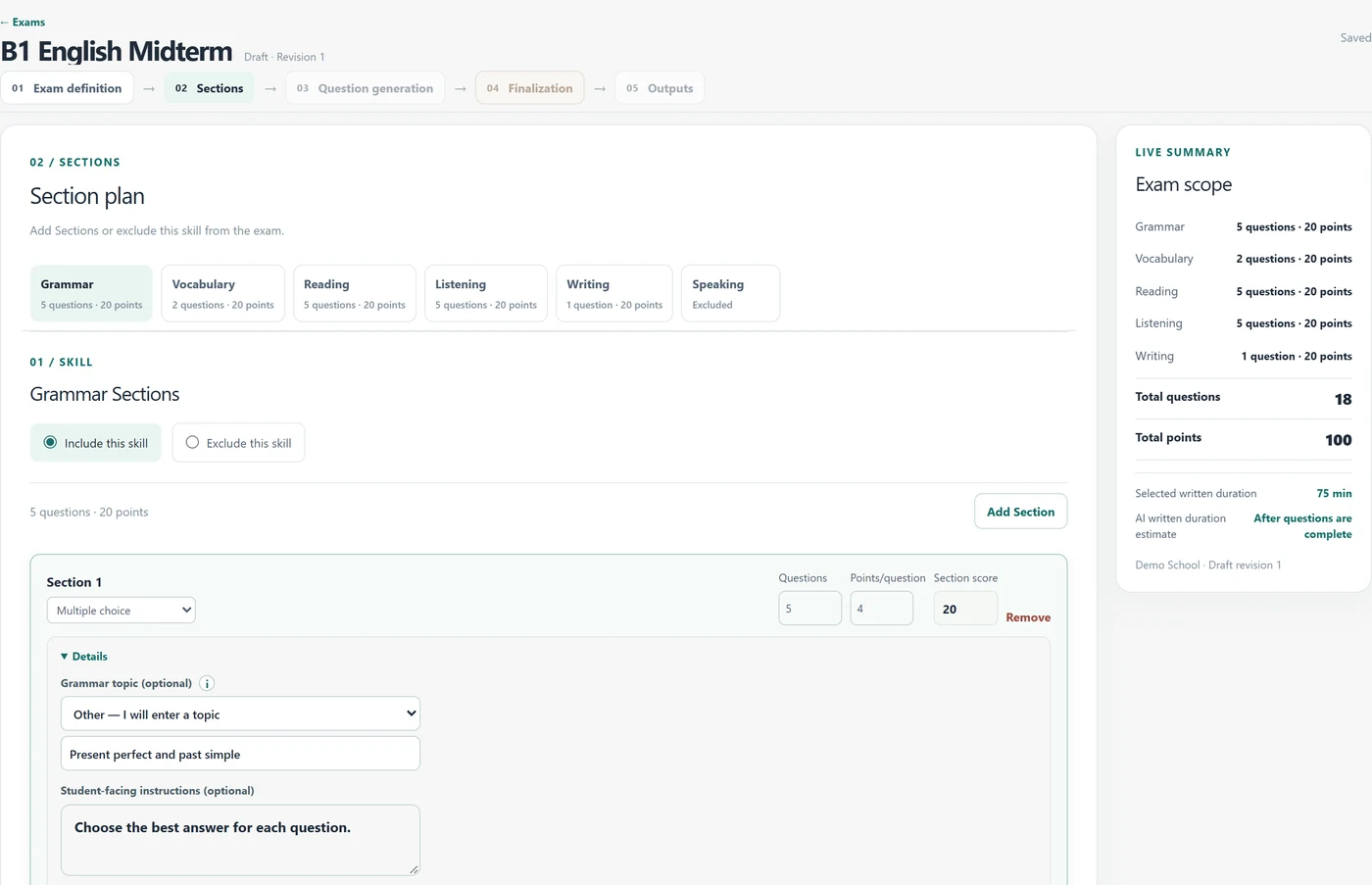
Set the level, skill areas, question types and score allocation.
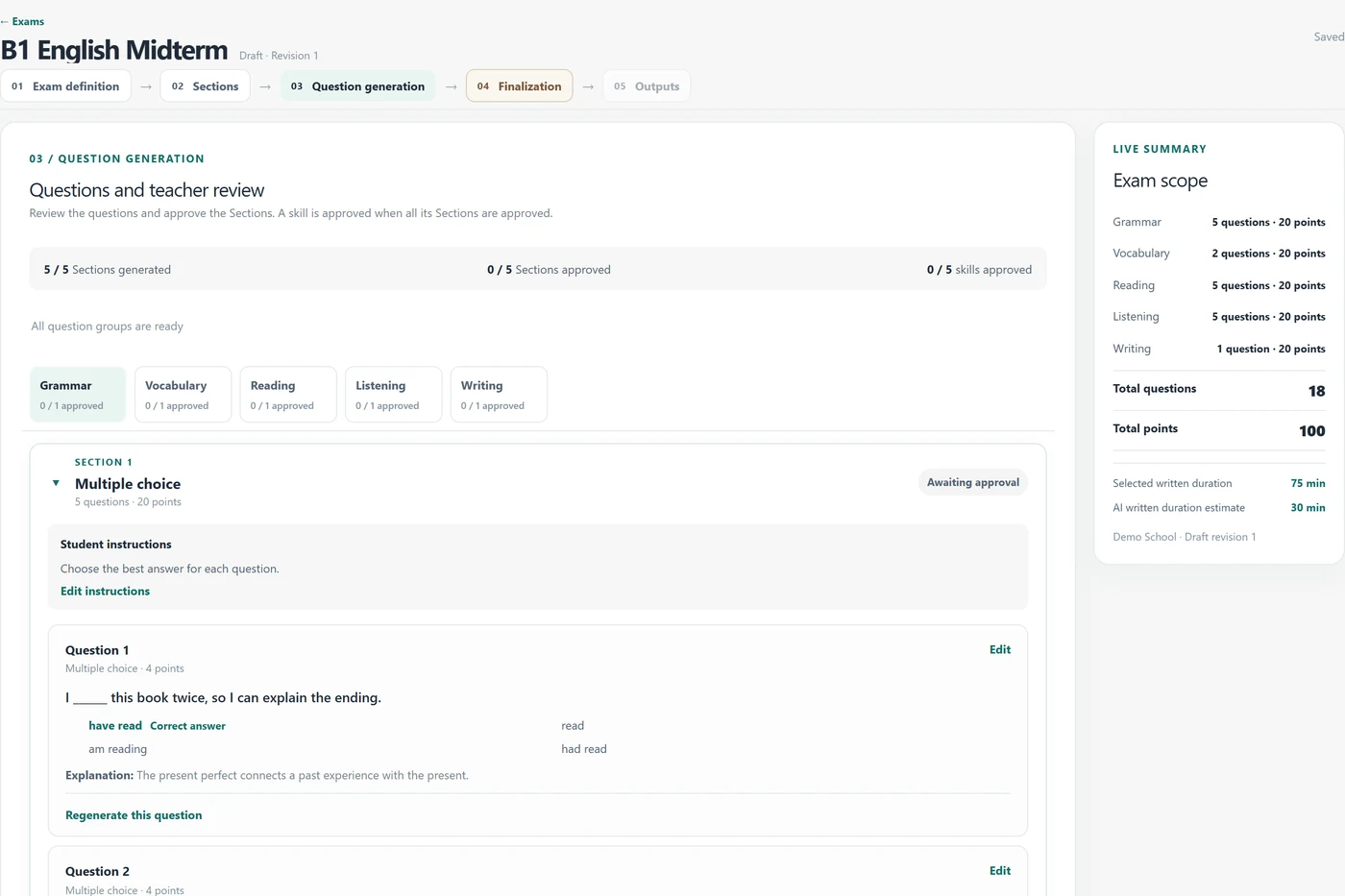
Generate draft questions, reading passages and listening scripts based on your exam plan.
Edit questions, check each section and approve the listening recording.
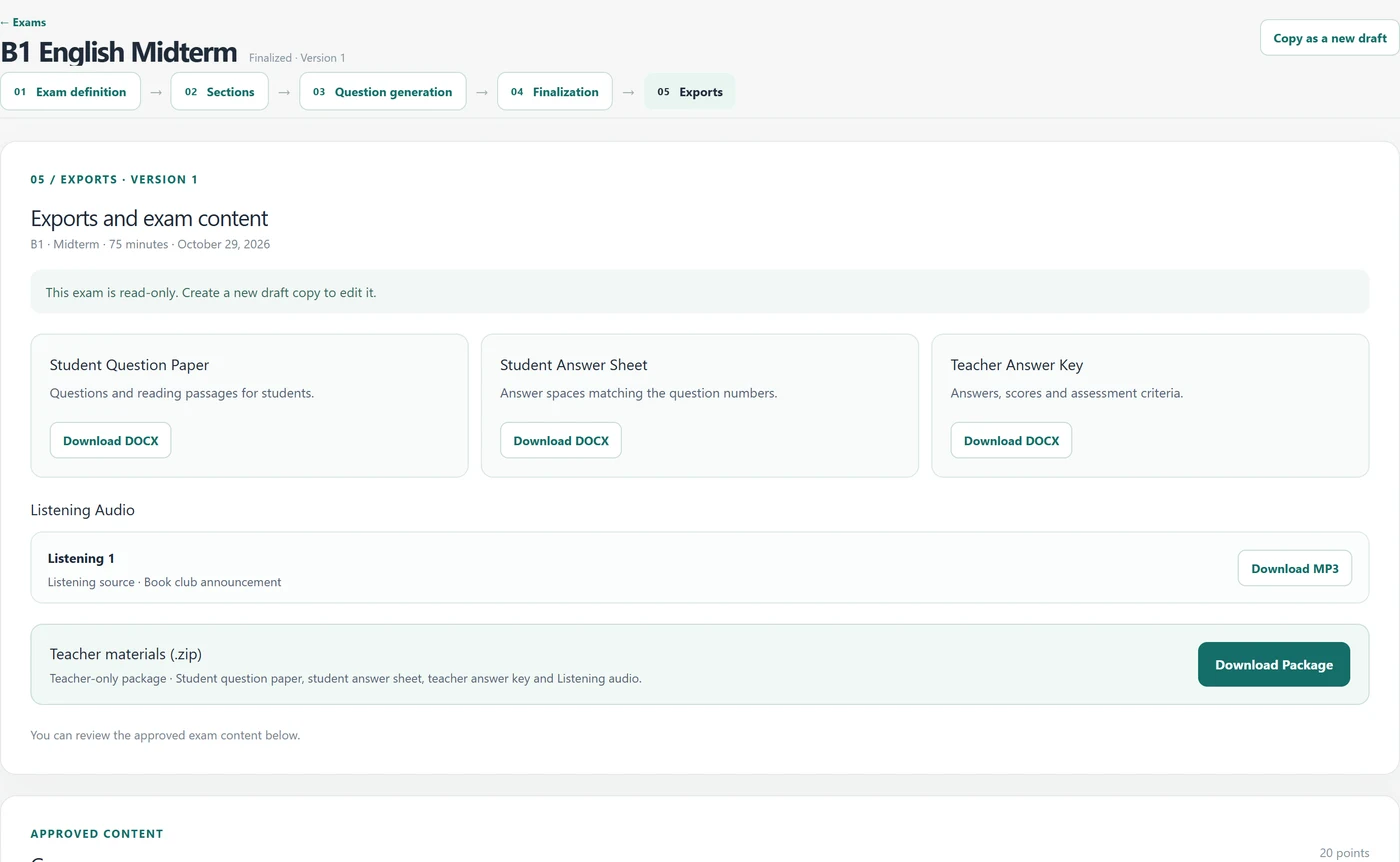
Download the question paper, answer sheet and teacher answer key as Word documents, or get a ZIP package with the listening recordings.
Inside Exam Studio
Explore the planning, review and export workflow through actual product screens.
Set topics, question counts, types and scores in one view.
Edit question text and answer options. You decide when each section is approved.
Access Word documents, listening recordings and the complete package in one place.
Actual product screens with sample data.
Built around English exams
Bring Grammar, Vocabulary, Reading, Listening, Writing and Speaking into your exam plan.
Set the level, question types, counts and scores to match your exam plan.
AI output is a draft. Review and edit questions and answers, then approve each section yourself.
Review the draft listening script, generate its audio and approve the recording. Download the MP3 for your English exam.
Export the student question paper, answer sheet and teacher answer key as Word (DOCX) documents. Get the files and approved listening audio together in a ZIP package.
Use your school logo and brand colours in its dedicated workspace.
For teachers and institutions
An exam preparation workspace for ESL and EFL teachers. Set topics and scores, edit draft questions and download the exam files you approve.
Request accessExplore how teachers prepare exams in a school workspace with your institution's identity. Request a product demo for your institution.
Request an institution demoCommon questions
Exam creation currently supports English at B1 and B2. We are collecting needs for A1, A2, C1 and C2, university English proficiency exams, placement tests and other exam languages. These options are planned and are not available yet. Tell us the level, exam type and exam language you need in the optional message field.
CEFR B1 and B2 are the level options available for planning and AI drafts. You must check that the questions, scoring and listening content suit your learners and target level. Exam Studio does not certify or independently validate CEFR alignment.
Yes. Review and edit question text, answer options and correct answers in the teacher workspace. Generated content stays a draft until you approve it. You are responsible for checking accuracy and suitability for your students.
Yes. Prepare and review a listening script, generate its audio and approve the recording before finalising your exam. The approved MP3 is available with your exam files.
Yes. After approving the exam, download the student question paper, answer sheet and teacher answer key as editable Word (DOCX) files. Approved listening recordings are available as MP3 files, and a ZIP package contains all exam files.
Exam Studio is for English teachers and institutions preparing exams. Teachers plan the exam, review the AI drafts and approve the files they will use with their students.
The teacher interface supports Turkish and English. Changing the interface language does not translate exam questions, teacher text or saved exam content.
School workspaces, school logos and brand colours are supported. Share your institution's needs to request a product demo.
Use the access or demo form to send your request. Receiving a request does not automatically create an account or grant access; access is reviewed separately.
Access and demos
Send a request for pilot access or a product demo. A school or institution name is required for demo requests.
Exam StudioA teacher-focused workspace for preparing English exams.